
MOI Qatar Visa Check Online: How to Check Your Qatar Visa Status
Waiting for a Qatar visa is stressful. Not knowing where to check it makes it worse. Follow these five steps to check your status on the official MOI service, and learn what to do if nothing shows up.
Independent guide: MOI Qatar Portal is not affiliated with or endorsed by Qatar’s Ministry of Interior (MOI). Your visa status is shown only by MOI’s own service. This page explains how to reach it and what to do with the result.
At MOI Qatar Portal, we share easy-to-follow guides on Qatar visas, residency permits, and Qatar ID topics. You can also learn how to check your Qatar ID status, track your medical report, and monitor your QVC application status through our detailed guides.
🔎 What Is a Qatar Visa Check?
Qatar visa check is the process of verifying your Qatar visa status, approval, and validity online through authorized government platforms. The MOI Qatar (Ministry of Interior Qatar) portal allows applicants and residents to access important visa information and perform a visa inquiry, visa status check, and visa tracking using the required details.
🌐 How Does Qatar Visa Check Work?
To perform a Qatar visa check online, applicants can enter their passport number, visa number, or Qatar ID (QID) through the MOI Qatar system. The portal checks the available records and provides relevant Qatar visa status and visa details for verification.
📋 What Information Does a Qatar Visa Status Check Show?
The MOI Qatar visa inquiry system can provide important details related to your visa, including:
- Visa status — approved, pending, or rejected
- Visa type — work, visit, or tourist visa
- Sponsor information — company or individual sponsor details
- Visa validity — issue date and expiry date
These details make it easier to perform Qatar visa tracking, status verification, and visa validity checks online.
🎯 Why Check Your Qatar Visa Status?
A Qatar visa status check helps travelers and residents confirm their current visa information before making travel or stay arrangements. It can help verify travel eligibility, visa validity, entry requirements, and renewal conditions, making it easier to stay compliant with Qatar immigration rules.
🏛️ Official Platforms for Qatar Visa Status Check
The official platforms for Qatar visa status check allow applicants and residents to access visa-related information through authorized government services. The main options include the MOI Qatar portal and Metrash2, where users can perform a visa inquiry, check visa status, and verify QID-related information using the required details.
These government platforms provide reliable access to Qatar visa information and help users verify their visa records online.
1. 🏛️ MOI Qatar Portal
The MOI Qatar portal (www.moi.gov.qa) is the official online platform of the Ministry of Interior Qatar and one of the main resources for Qatar visa check online services. Users can access services such as MOI visa inquiry, visa status check, and visa printing through the portal.
Step 1: Visit the official Ministry of Interior (MOI) Qatar website to access its online visa and related services.
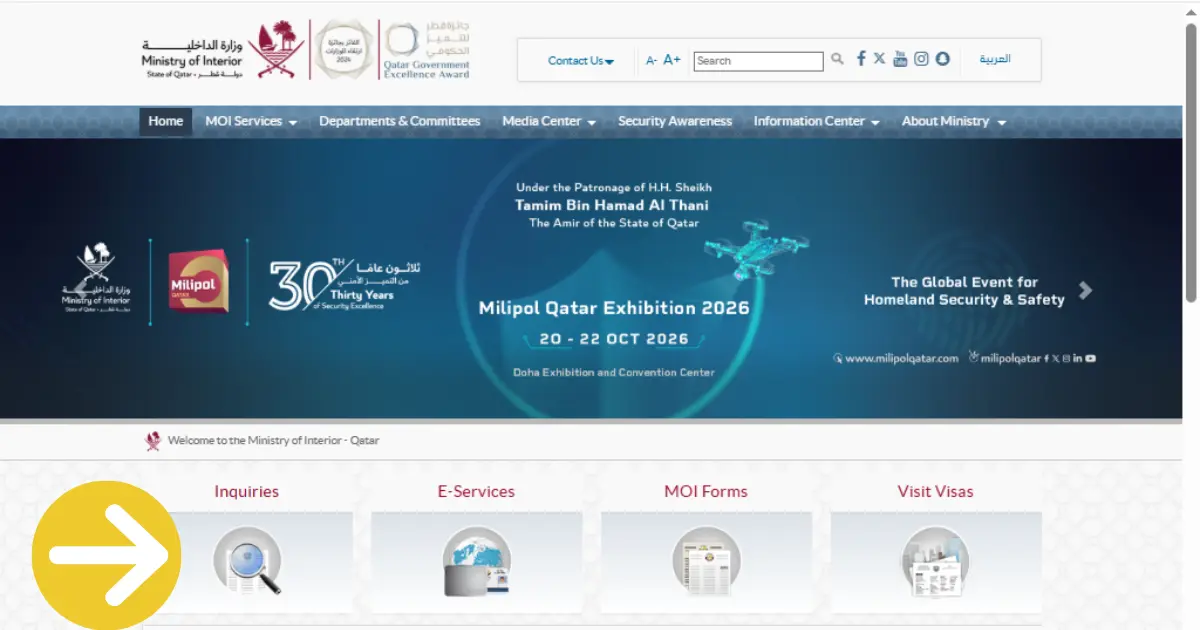
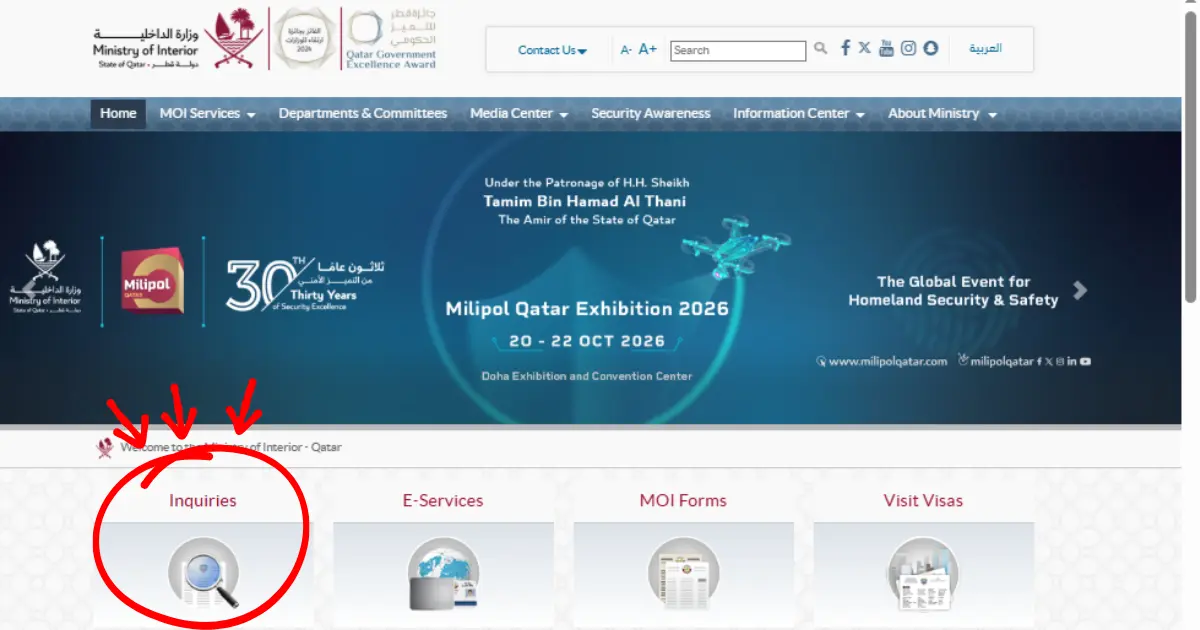
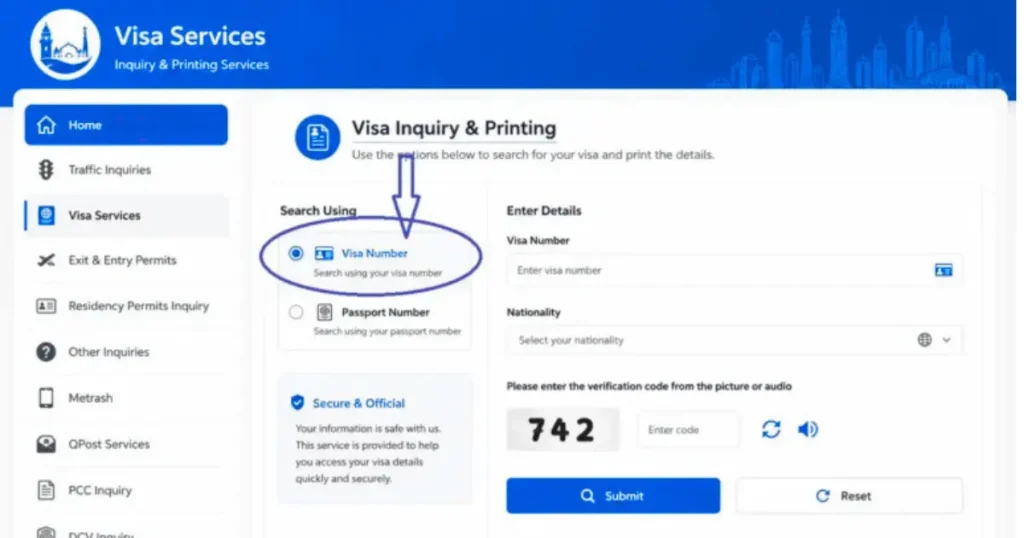
Step 2: Select Visa Inquiry & Printing from the menu.
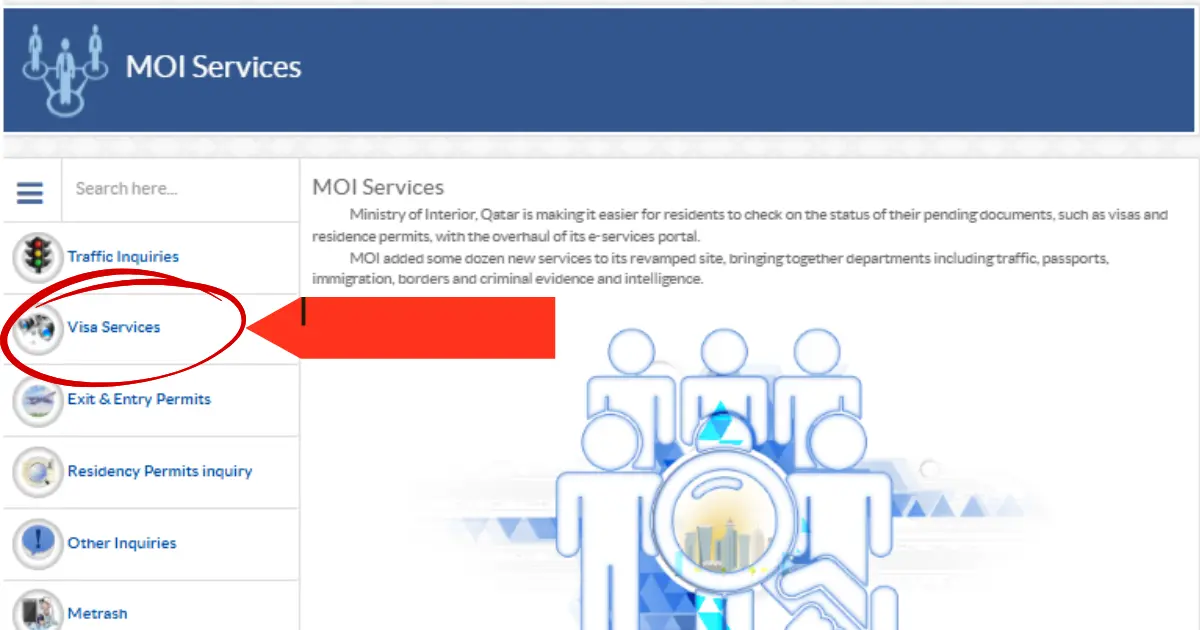
Step 3: On the next page, look for the available services and select “Visa Services” to continue with your Qatar visa-related request.
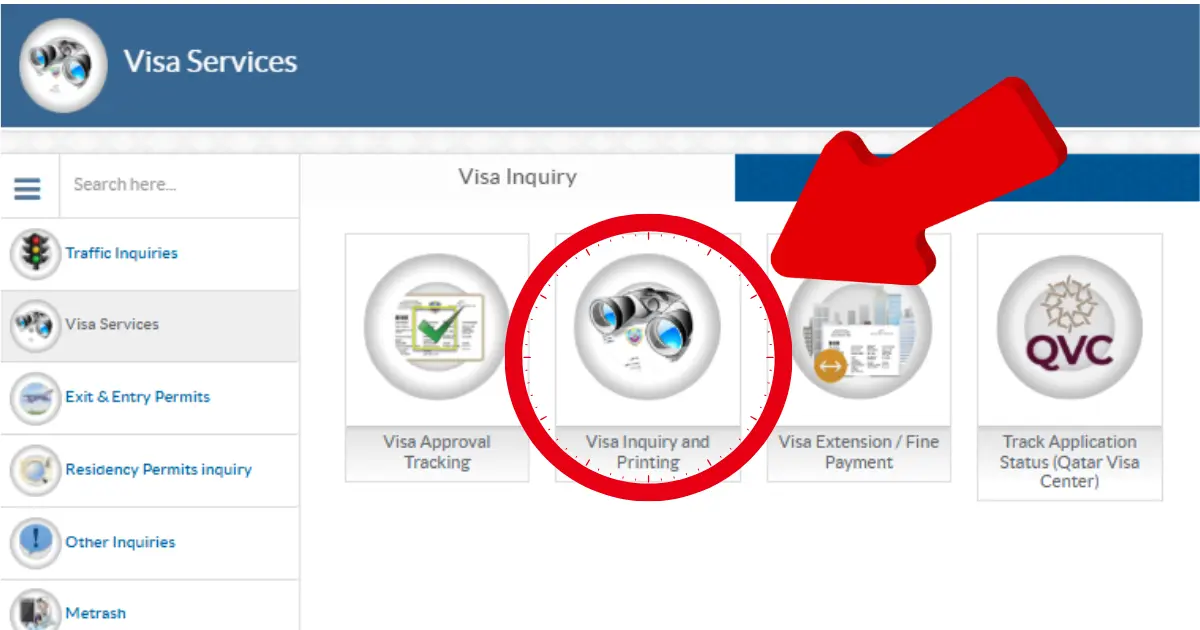
Step 4: Proceed to select “Visa Inquiry and Printing” from the menu.
Step 5: Enter Your Visa Details
Enter the required information in the visa inquiry form:
- Your valid Qatar visa number
- Your passport number
- Select your nationality from the dropdown menu
Double-check the information before proceeding to avoid errors when checking your Qatar visa status.
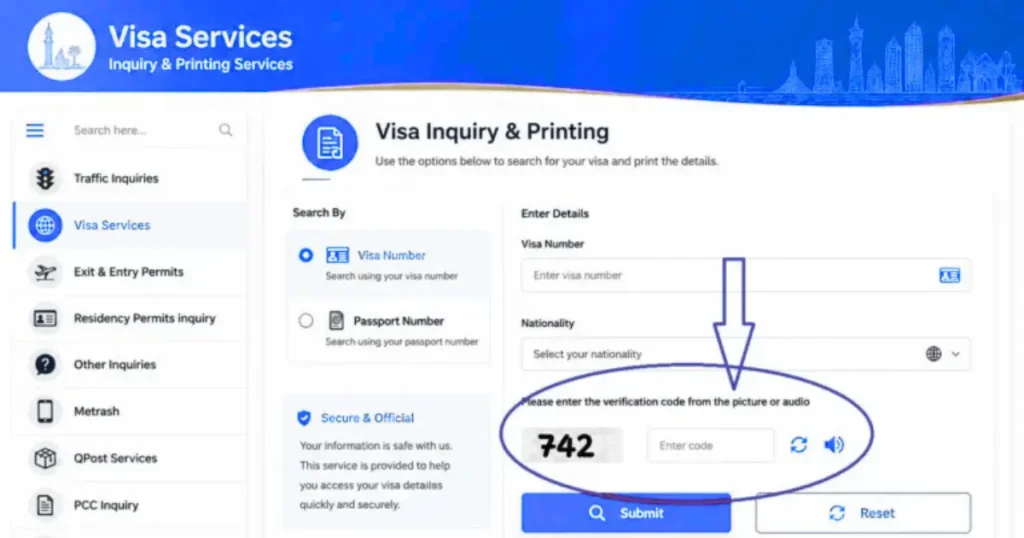
Step 6: Complete the CAPTCHA Verification
Enter the CAPTCHA code shown on the screen to confirm that you are a real user and complete the verification process before proceeding.
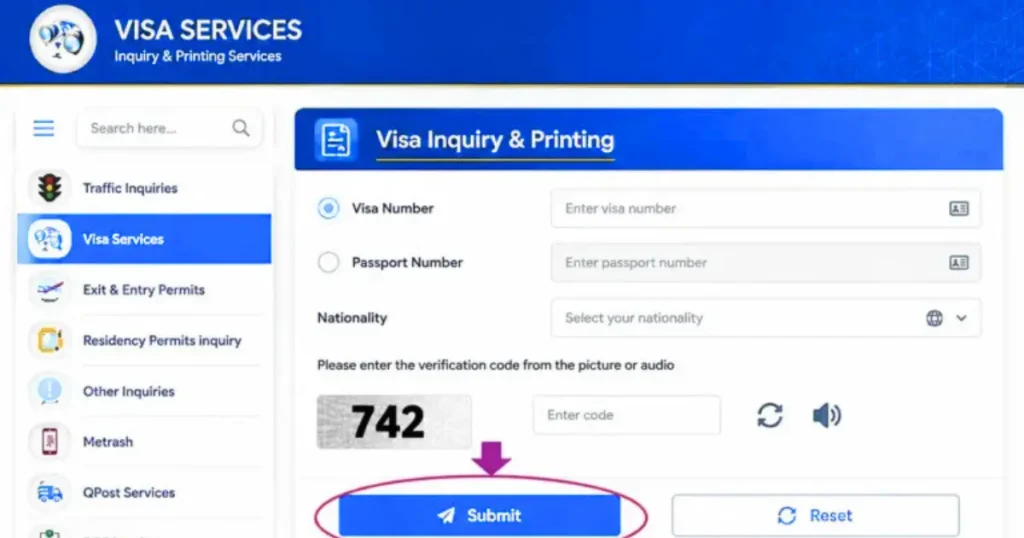
Step 7: Click Submit to Check Your Visa Status
After entering all the required details, click the “Submit” button. The system will process your information and display your current Qatar visa status on the screen.
Tip: For the best experience, use an updated browser such as Google Chrome or Mozilla Firefox.
Should You Search by Visa Number or Passport Number?
When you open the visa inquiry page, you’ll be asked to choose a search method. If you’re not sure which one to use, don’t worry—your choice simply depends on the information you have.
Option 1: Search by Visa Number
If you’ve already received your visa or entry permit, this is the quickest and most accurate option. Enter the 15-digit visa number exactly as it appears on your document, including any leading zeros.
This method is ideal if your employer or sponsor has already shared your visa details.
Option 2: Search by Passport Number
If you’re still waiting for your visa and haven’t received a visa number yet, use your passport number instead. This is the option most first-time applicants choose.
Make sure you select the correct nationality from the list before submitting your request. Choosing the wrong country is one of the most common reasons for a “No Record Found” message.
Which Option Is Better?
If you have both a visa number and a passport number, use the visa number whenever possible. It usually returns your application details more accurately.
Helpful Tip
Complete all your details before entering the CAPTCHA. Since the code refreshes quickly, enter it last and click Submit right away.
Checking Your Visa Status on a Mobile Phone
You don’t need to install an app to check your application. Simply open the official website in your mobile browser, enter your details, complete the CAPTCHA, and tap Submit. The process is the same as it is on a computer.
2. 📲 Metrash Mobile App (Formerly Metrash2)
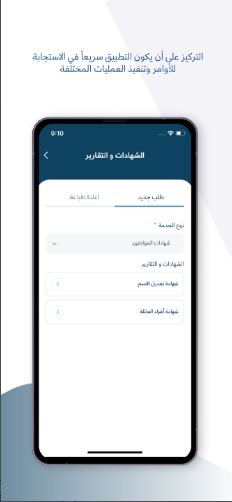
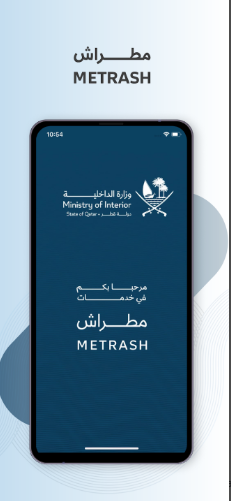
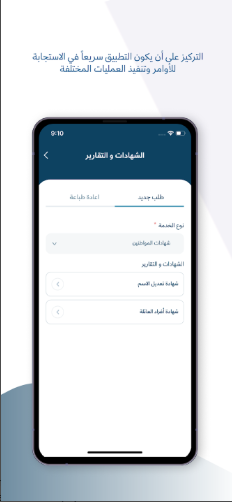
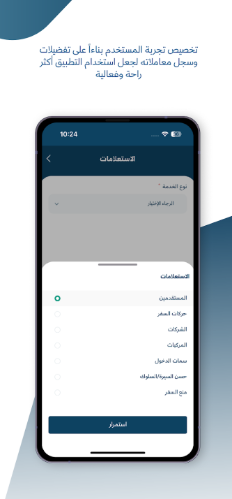
Metrash is the official MOI Qatar mobile application, available for both iOS and Android. It is the fastest way to check your visa and residency status from your smartphone.
- Download Metrash from the Apple App Store or Google Play Store.
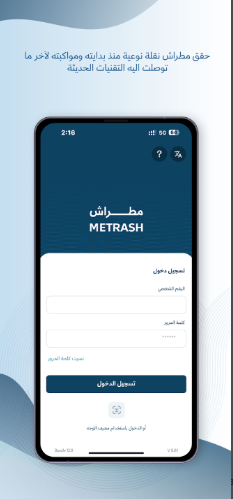
- Register using your QID number, passport number, and mobile number.
- Log in with your credentials.
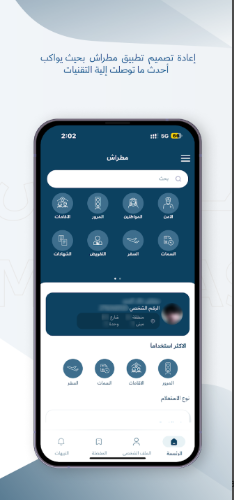
- From the main menu, tap ‘Visa & Residency’ or ‘Enquiries’.
- Select ‘Visa Status’ and enter the required details.
- Your visa status will appear instantly, along with expiry details and renewal alerts.
Register your mobile number on the MOI portal and opt in for SMS notifications. You will receive alerts when your visa status changes, is approved, or is about to expire.
3. 🛂 Qatar Visa Center (QVC Qatar)
If you’re applying for a work or family visa from India, Pakistan, Bangladesh, Nepal, Sri Lanka, or the Philippines, you’ll also need to track your application through the Qatar Visa Center (QVC). This portal shows updates that may not appear during the early stages of the visa process.
What Is the Qatar Visa Center (QVC)?
The Qatar Visa Center is a government-authorized service that manages several pre-arrival requirements for visa applicants. It helps you track important steps before a final visa decision is made.
You can check updates such as:
- Medical examination status
- Biometric verification (fingerprints and facial scan)
- Employment contract verification
- Overall application progress
If your application is still being processed at QVC, you may continue to see “Under Process” when checking your visa online. Once these requirements are completed, your application can move to the next stage.
The Qatar Visa Center (QVC Qatar) website (https://www.qatarvisacenter.com/) supports applicants from Pakistan, India, Nepal, Sri Lanka, Bangladesh, and the Philippines with Employment and Family Visa services.
Visit the QVC website https://www.qatarvisacenter.com/, select your country and language, and access the relevant visa services.
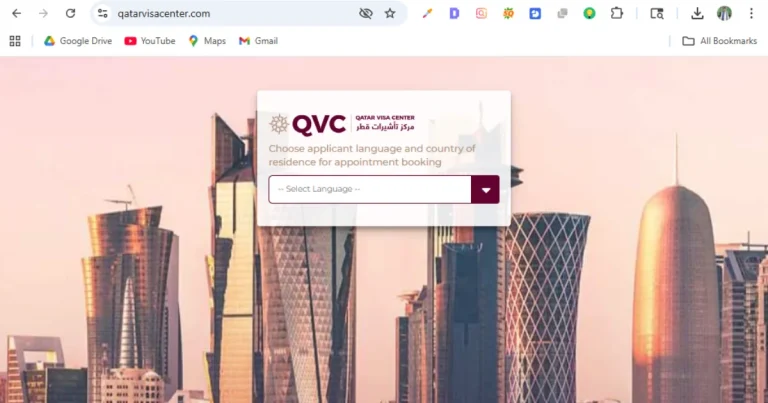
On the homepage, select your preferred language (English or Arabic available).
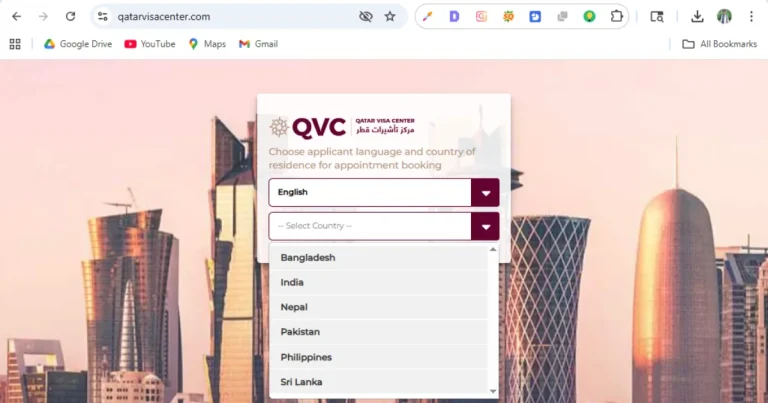
Select your country from the dropdown list.
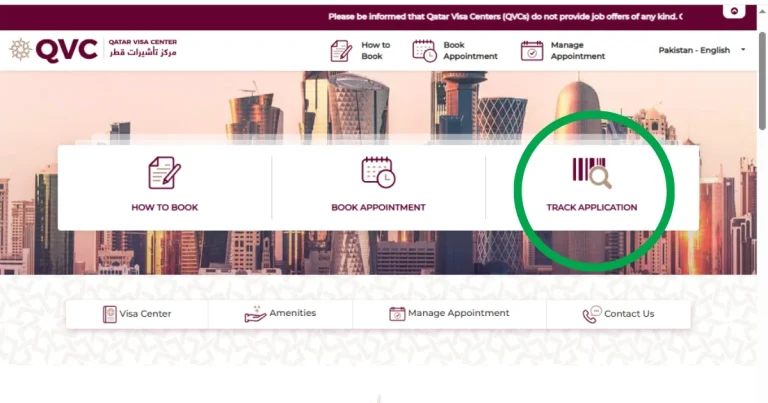
From the top navigation menu, click “Track Application”.
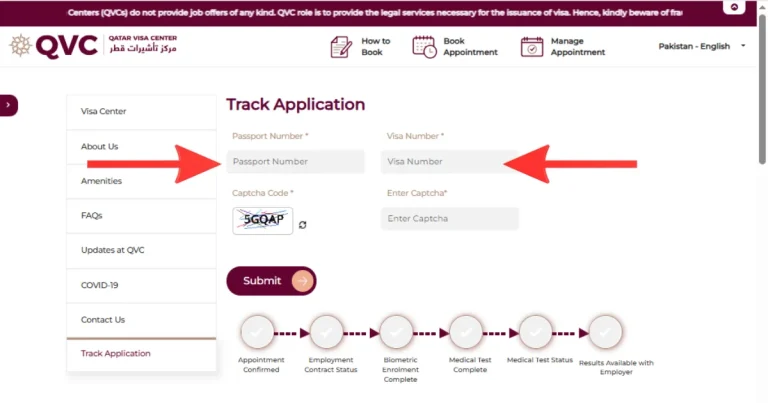
Enter your Passport Number and Visa Reference Number (VRN) — the VRN is provided by your employer or recruitment agent when the visa application is first submitted.
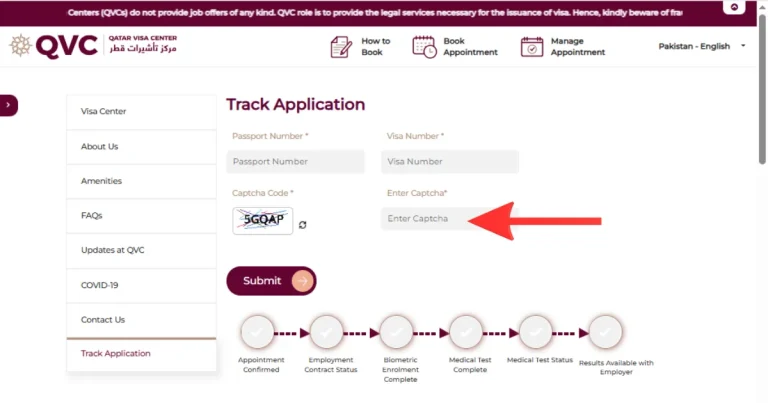
Complete the CAPTCHA verification.
Click “Submit” to view your current application status.
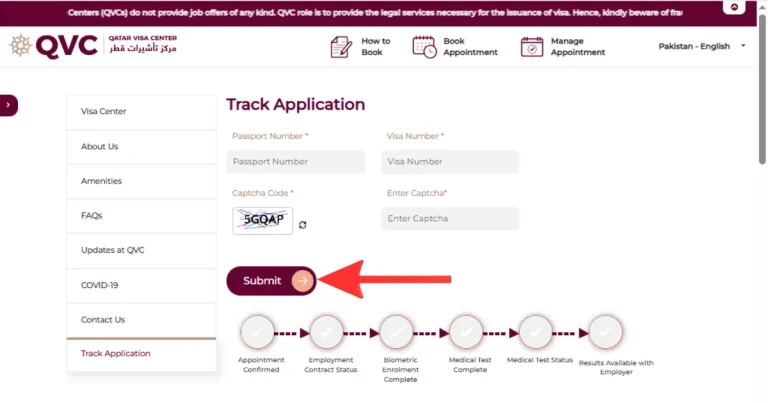
Your result will show which stage your application is currently in. The key QVC status stages to understand are:
| QVC Status | What It Means | What You Should Do |
|---|---|---|
| Appointment Pending | You have not yet visited a QVC center | Book your appointment at qatarvisacenter.com |
| Biometrics Pending | Your fingerprints and facial scan are not yet collected | Visit your nearest QVC center |
| Biometrics Completed | Your biometric data has been successfully submitted | Wait for medical test clearance |
| Medical Test Pending | Your health examination has not been done | Visit the QVC medical facility at your appointment |
| Medical Under Review | Tests are complete; results are being analyzed | Wait 3–5 working days |
| Medical Passed | You have passed all health requirements | Await contract signing if applicable |
| Medical Failed | One or more health tests were not cleared | Get treatment and retest at an authorized QVC medical center |
| Contract Signed | Your employment contract has been authenticated | File is moving to MOI for final approval |
| Application Completed | All QVC requirements are met | Final decision now rests with MOI Qatar — check moi.gov.qa |
Important: Once the QVC status shows “Application Completed,” return to the MOI Qatar portal (portal.moi.gov.qa) and check your visa status there. Final approval — and the ability to print your visa — is only granted by MOI, not QVC.
QVC Center Locations, Countries & Contact Details
QVC currently operates 14 centers across 6 countries. All centers must be visited before traveling to Qatar — there are no QVC centers inside Qatar itself.
| Country | Cities | Phone | Working Days | Hours |
|---|---|---|---|---|
| 🇮🇳 India | Chennai, Delhi, Hyderabad, Kochi, Kolkata, Lucknow, Mumbai | +91 44 6133 1333 | Mon–Fri | Biometrics: 08:30–16:30 / Medical: 09:00–17:00 |
| 🇵🇰 Pakistan | Islamabad, Karachi, Lahore | +92 51 8439384 | Mon–Fri | 08:30–17:00 |
| 🇧🇩 Bangladesh | Dhaka, Sylhet | +880 9666 777 101 | Sun–Thu | 08:30–16:30 |
| 🇳🇵 Nepal | Kathmandu | +977 1 5970029 | Sun–Thu | 08:30–16:30 |
| 🇱🇰 Sri Lanka | Colombo | N/A | Mon–Fri | 08:30–16:30 |
| 🇵🇭 Philippines | Manila | +63 2 85282554 | Mon–Fri | 08:30–16:30 |
Tip: Appointment slots fill up quickly, especially in India and Pakistan. Book your QVC appointment online at www.qatarvisacenter.com as soon as your employer gives you the Visa Reference Number — do not wait until the last week. You can reschedule up to 5 times online (at least 24 hours before your slot), after which you must visit in person.
What Documents to Bring to Your QVC Appointment
- Original valid passport (minimum 195 days validity from your appointment date)
- Appointment confirmation letter (printed or on your phone)
- Employment offer letter or contract (for work visa applicants)
- Academic certificates or diplomas (for professional categories)
- Passport-sized photographs (as specified in your appointment letter)
- Any previous medical reports if applicable
2026 Update: QVC has introduced mandatory online document submission before visiting the center. Upload your documents through the QVC portal after booking your appointment, so staff can pre-verify them and reduce your wait time on the day of the visit. Digital employment contracts are now also directly linked to Qatar’s Ministry of Labour system, making the authentication process faster.
Method 6: Check Your Visa Status Through a Qatar Embassy or Consulate
If you can’t access the online services or continue to experience technical issues, you can contact the nearest Qatar Embassy or Consulate for assistance. Embassy staff can help verify the current status of your visa application using your passport details.
Before You Visit
Bring the following documents with you:
- Your original passport
- Visa number or application reference number (if available)
- Any documents or emails received from your employer or sponsor
It’s also a good idea to call the embassy in advance to confirm its working hours and whether an appointment is required.
What to Expect
After verifying your documents, the embassy can check the latest update on your application and explain the next steps if your visa has been approved. If your application is still under review, they may advise you to wait or contact your employer or sponsor for further assistance.
Important: The embassy can check your status but generally cannot speed up the MOI processing timeline. If your visa is genuinely delayed at MOI, the most effective escalation route remains contacting your employer/sponsor in Qatar and having them follow up directly at an MOI service center, which carries more weight than a foreign embassy inquiry.
What Does Each Qatar Visa Status Mean? — Complete Status Guide
When you check your visa status on the MOI Qatar portal, you may see one of several status labels. Understanding exactly what each status means is critical so you can take the right action.
| Visa Status | Meaning | Action Required |
| Under Process / Pending | Your application is in the MOI queue and being reviewed. | Wait. Check again in 3–7 working days. |
| Approved | Your visa has been officially granted by MOI Qatar. | Collect your visa or await entry clearance. |
| Visa Ready / Issued | Your visa has been printed and is ready for collection. | Collect from the employer or embassy. |
| Entry Permit Issued | Your entry permit is issued — you may now enter Qatar. | Travel to Qatar within the validity window. |
| Cancelled | The visa has been cancelled by MOI or the sponsor. | Contact your sponsor or apply fresh. |
| Expired | The visa validity period has ended. | You must renew or exit Qatar immediately. |
| Rejected | Your visa application was denied by MOI. | Request rejection reasons and reapply. |
| Under Renewal | Your residency permit renewal is in process. | Do not travel; stay in Qatar until done. |
| Blocked / Banned | There is a travel or entry ban associated with the passport. | Contact MOI Qatar legal section urgently. |
| Active / Valid | Your current visa or residency permit is valid and active. | No action needed. Monitor expiry date. |
What to Do After Your Visa Is Approved
Once your visa shows Approved, there are just a few important steps to complete before you travel. Taking care of them early can help you avoid unnecessary delays.
1. Download and Print Your Visa
Sign in to the visa inquiry page and download your visa once the Print option becomes available. It’s a good idea to keep both a digital copy and at least one printed copy, as you may need it during your journey.
If the Print option isn’t available yet, your sponsor or employer may still need to complete the required visa issuance process. Contact them if the status doesn’t change after some time.
2. Check Your Visa Details
Before booking your flight, review your visa carefully. Make sure your name, passport number, sponsor details, and entry validity date are correct.
Also remember that the entry validity date is different from your stay duration. You must enter Qatar before the visa expires, even if you plan to stay for only a short period.
3. Complete Any Remaining Requirements
If you’re applying from a country that uses the Qatar Visa Center (QVC), make sure all required steps, such as your medical examination and biometric verification, have been completed before you travel.
For work visa holders, you’ll also need to complete a medical fitness test after arriving in Qatar so your employer can begin the Residency Permit (QID) process.
What Does “Ready to Print” Mean?
The Ready to Print status means your visa has been approved and is available for download. Simply sign in, download the PDF, and print a copy for your records.
If you see Ready to Print but can’t download your visa, contact your sponsor or employer. In most cases, they’ll need to complete the remaining visa issuance formalities before the document becomes available.
Types of Qatar Visas You Can Track via MOI Qatar Portal
MOI Qatar manages all visa categories for the State of Qatar. Each type can be tracked through the same portal, but the requirements and processes differ.
Work Visa
Sponsored by your employer through MOI Qatar — converts to an Iqama after arrival and biometrics.
Read the guideResidence Permit (Iqama / QID)
Your legal ID as an expat in Qatar. Renew before expiry to avoid fines — check status by QID number.
Renewal guideFamily Visa
Sponsor your spouse, children, or parents once you meet MOI Qatar’s minimum salary requirement.
Read the guideVisitor / Tourist Visa
Enter visa-free, on arrival, or online, depending on your nationality — valid 30 days, extendable.
Read the guideBusiness Visa
For meetings, conferences, and trade events — sponsored by a Qatar-based company or chamber of commerce.
Read the guideStudent Visa
Sponsored by your university, from entry permit through study to your residence permit.
Read the guideTransit Visa
For passengers transiting Hamad International Airport over 24 hours — often free with Qatar Airways.
Read the guideGCC Resident Visa
Simplified entry for GCC residence permit holders — no traditional visa application needed.
Read the guideCommon Issues When Checking MOI Qatar Visa Status — Solved
Problem 1: Visa Status Showing ‘Under Process’ for Too Long
If your visa has been showing ‘Under Process’ for more than 3 weeks, there may be a delay at the MOI processing center, a document verification hold, or a background check in progress.
- Solution: Ask your employer/sponsor to follow up directly at an MOI service center
- Solution: Call the MOI hotline at 2347444 for a status update
- Solution: Your sponsor can check through the Metrash employer account
Problem 2: Name or Passport Number Not Found
If the system cannot find your visa record, it may be due to a data entry error in the original application, or your application may not yet have entered the MOI system.
- Solution: Double-check the passport number entered (no spaces, exact digits)
- Solution: Try searching with your full name as it appears on your passport
- Solution: Ask your sponsor to verify the submitted application details
Problem 3: Visa Shows ‘Cancelled’ But You Are Still in Qatar
This is a serious situation that requires immediate action. A visa cancellation while in-country can happen if your employment contract was terminated, the sponsor withdrew, or an administrative cancellation was filed.
- Contact your employer or sponsor immediately
- Visit the nearest MOI immigration office
- You may need to apply for a new visa through a new sponsor or prepare to exit Qatar
- You typically have 30 days after cancellation to leave or transfer sponsorship
Problem 4: Portal Not Working or Loading Slowly
- Try clearing your browser cache and cookies
- Use a different browser (Chrome or Firefox recommended)
- Try the Metrash app instead as an alternative
- The MOI portal occasionally undergoes maintenance between 12:00 AM–4:00 AM AST
Problem 5: ‘Blocked’ Status on Qatar Visa Check
A blocked status may indicate an unpaid fine, a legal hold, or a previous overstay issue. This requires in-person resolution at an MOI service center or through legal assistance.
MOI Qatar Essential Services
Access the most critical Ministry of Interior (MOI) and e-government facilities in one place. Our comprehensive, step-by-step guides help expatriates and residents effortlessly track their visa applications, renew state identities, and verify health clearances using official government portals.
Qatar Visa Check Online
If you have applied for a new visa or want to track your application status, you can easily perform a Qatar Visa Check by Passport Number online. This guide explains the step-by-step process through the official MOI portal to verify your visa validity and approval instantly.
Qatar ID Renewal Guide
Keeping your QID valid is essential for residing and working smoothly in the country. Learn how to complete your Qatar ID Renewal Check Online via the Metrash app or the MOI e-services portal, including details on required fees, processing times, and tracking your application status.
MOI Qatar Medical Report Tracking
For visa stamping, residency updates, or job approvals, checking your medical results is a mandatory step. Follow our comprehensive walkthrough on how to do an MOI Qatar Medical Report Check Online through the Ministry of Public Health (MOPH) website to download your official status immediately.
Other Important MOI Qatar Services You Should Know
The MOI Qatar portal provides a wide range of services covering visas, residence permits, traffic, vehicles, Metrash, official documents, PCC, entry and exit services, and specialised business services.
| Service | How to Access | Time |
| Traffic Fine Payment | Metrash app or Hukoomi portal | Instant |
| Vehicle Registration Renewal | Metrash or MOI portal | Same day |
| Lost QID Replacement | MOI service center or Metrash | 3–7 days |
| Travel Ban Inquiry | MOI portal — Passport Section | Instant |
| Exit Permit Application | Metrash or portal | Instant–24 hrs |
| Driving License Renewal | Metrash app | 1–3 days |
| Employer Visa Quota Check | MOI employer portal | Instant |
| Appointment Booking | Metrash app | Instant |
Frequently Asked Questions
lity is identical — the name was streamlined as part of a broader MOI digital services upgrade.
Conclusion
Checking your MOI Qatar Visa Status only takes a few minutes, but it can save you from unnecessary delays and surprises. Whether you’re applying for a work visa, family visa, or visit visa, staying updated helps you plan your next steps with confidence. Use the Qatar Visa Check tool above anytime to get the latest information directly from official MOI Qatar records.